



Goggles Integrated Version Avata Goggles2/Mini 3 Pro Data Cable TYPE-C Adapter Cable
OP-X9207 OP-X9208 OP-X9209
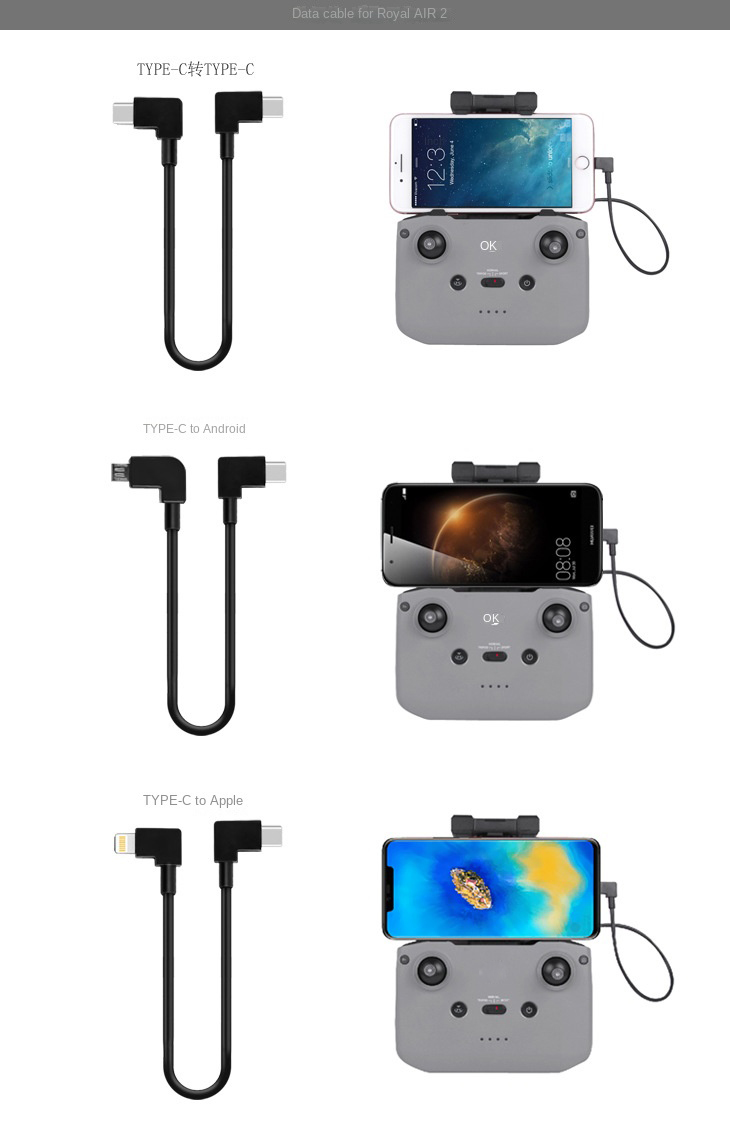
For Goggles All-in-One Version/ Avata Goggles 2/Mini 3/Mini 3 Pro/FPV Goggles V2/MINI 2/POCKET 2/OSMO POCKET Pocket Osmo Gimbal Camera/Royal AIR 2 Drone.
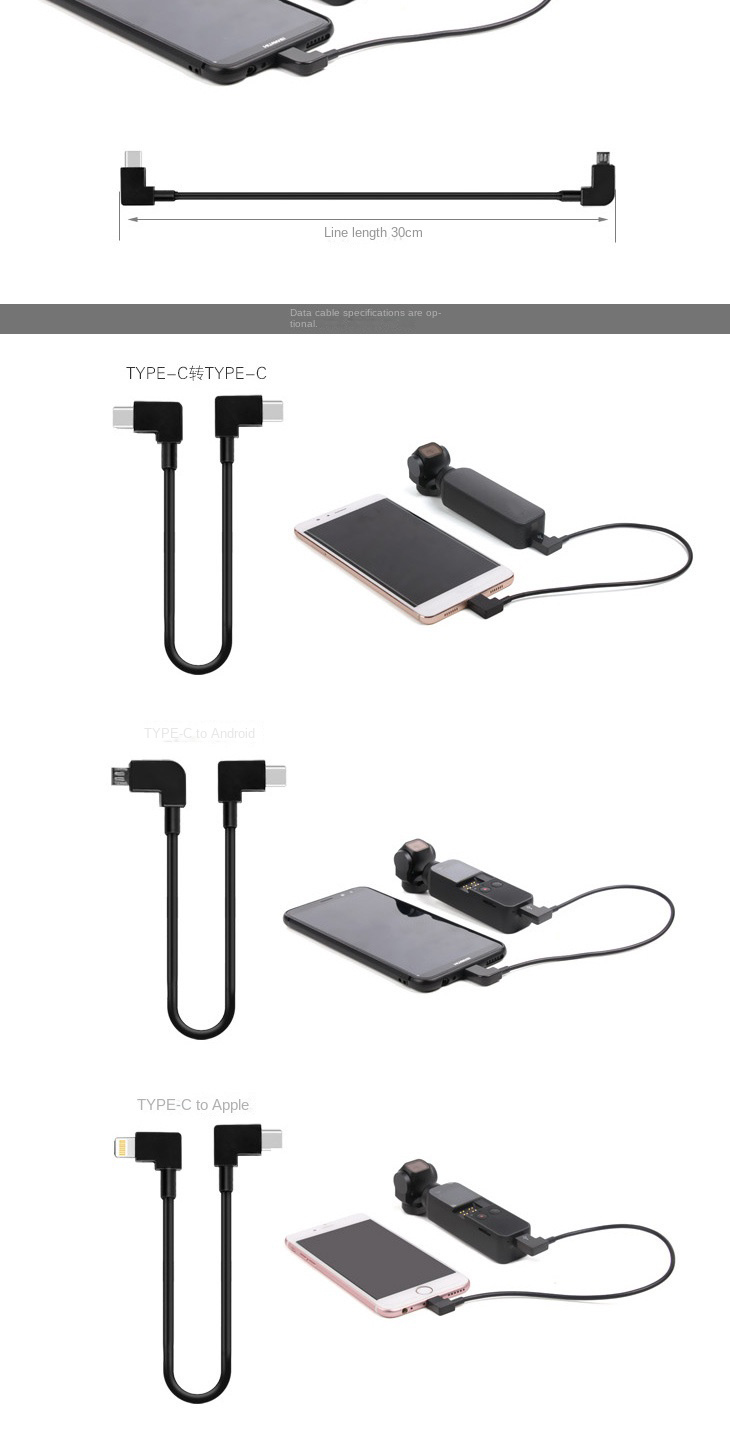
Compatible with Goggles All-in-One/Avata Goggles 2/FPV Goggles V2, connecting the Goggles to a mobile phone to transmit images and data.
product features:
-Switch out from the TYPE-C interface at the bottom of the gimbal camera, and directly connect to TYPE-C, Android, and Apple phones
- Use it with an extension pole to open more ways to play, so that your shooting is not limited, and you can create as much as you want
- Directly connect to the mobile phone to view real-time images conveniently
Note: To connect the mobile phone and Osmo Pocket with a data cable, the original data adapter needs to be removed, otherwise the screen cannot be displayed on the mobile phone.
Compatible with Goggles All-in-One/Avata Goggles 2/FPV Goggles V2, connecting the Goggles to a mobile phone to transmit images and data.
product features:
-Switch out from the TYPE-C interface at the bottom of the gimbal camera, and directly connect to TYPE-C, Android, and Apple phones
- Use it with an extension pole to open more ways to play, so that your shooting is not limited, and you can create as much as you want
- Directly connect to the mobile phone to view real-time images conveniently
Note: To connect the mobile phone and Osmo Pocket with a data cable, the original data adapter needs to be removed, otherwise the screen cannot be displayed on the mobile phone.
Quantity
For Goggles All-in-One Version/ Avata Goggles 2/Mini 3/Mini 3 Pro/FPV Goggles V2/MINI 2/POCKET 2/OSMO POCKET Pocket Osmo Gimbal Camera/Royal AIR 2 Drone.
Compatible with Goggles All-in-One/Avata Goggles 2/FPV Goggles V2, connecting the Goggles to a mobile phone to transmit images and data.
Compatible with Goggles All-in-One/Avata Goggles 2/FPV Goggles V2, connecting the Goggles to a mobile phone to transmit images and data.
product features:
-Switch out from the TYPE-C interface at the bottom of the gimbal camera, and directly connect to TYPE-C, Android, and Apple phones
- Use it with an extension pole to open more ways to play, so that your shooting is not limited, and you can create as much as you want
- Directly connect to the mobile phone to view real-time images conveniently
Note: To connect the mobile phone and Osmo Pocket with a data cable, the original data adapter needs to be removed, otherwise the screen cannot be displayed on the mobile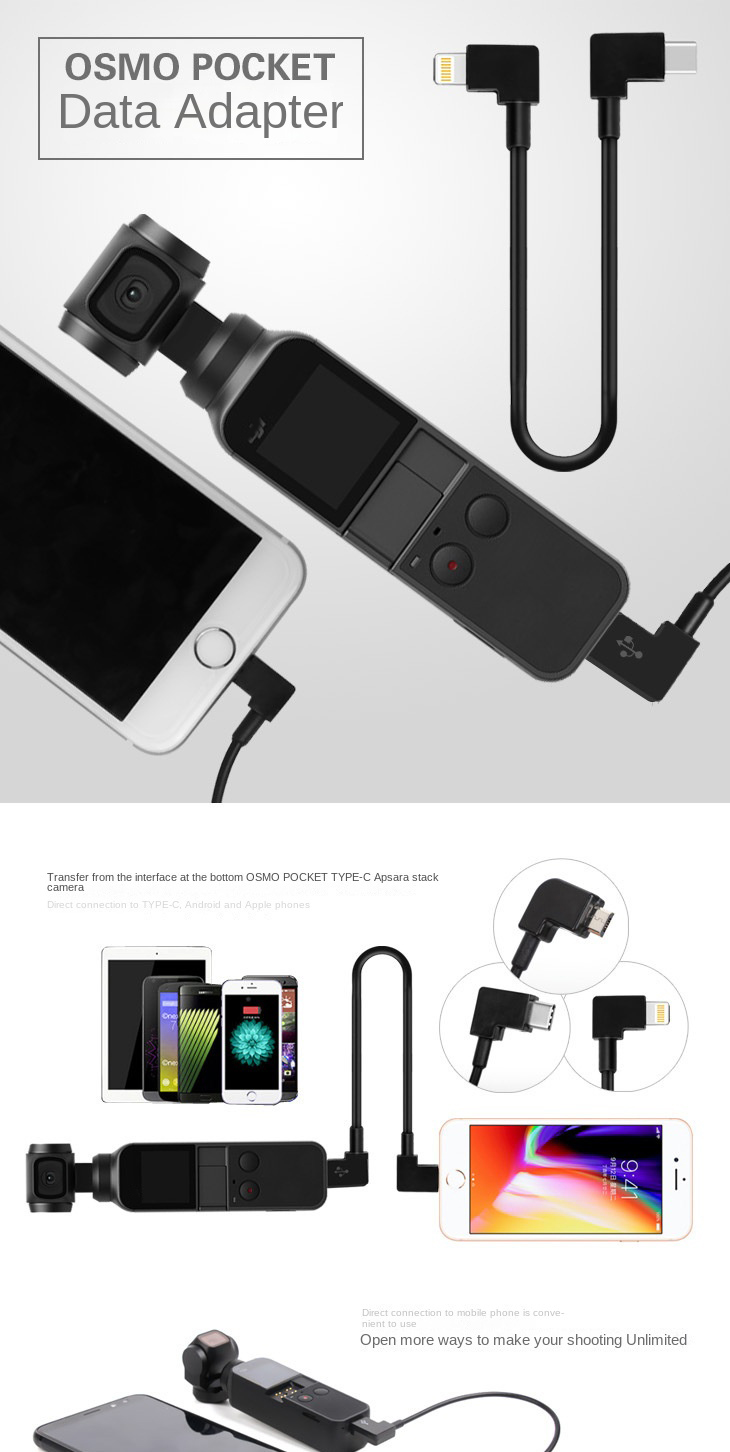
phone.
-Switch out from the TYPE-C interface at the bottom of the gimbal camera, and directly connect to TYPE-C, Android, and Apple phones
- Use it with an extension pole to open more ways to play, so that your shooting is not limited, and you can create as much as you want
- Directly connect to the mobile phone to view real-time images conveniently
Note: To connect the mobile phone and Osmo Pocket with a data cable, the original data adapter needs to be removed, otherwise the screen cannot be displayed on the mobile
phone.
